Annotate by Dropshare is on the App Store
May 15th, 2026
After a few weeks of beta testing, Annotate is available today on the App Store. It is a new iOS app for marking up screenshots, photos, and images, built by the same independent developer as Dropshare for macOS and iOS.
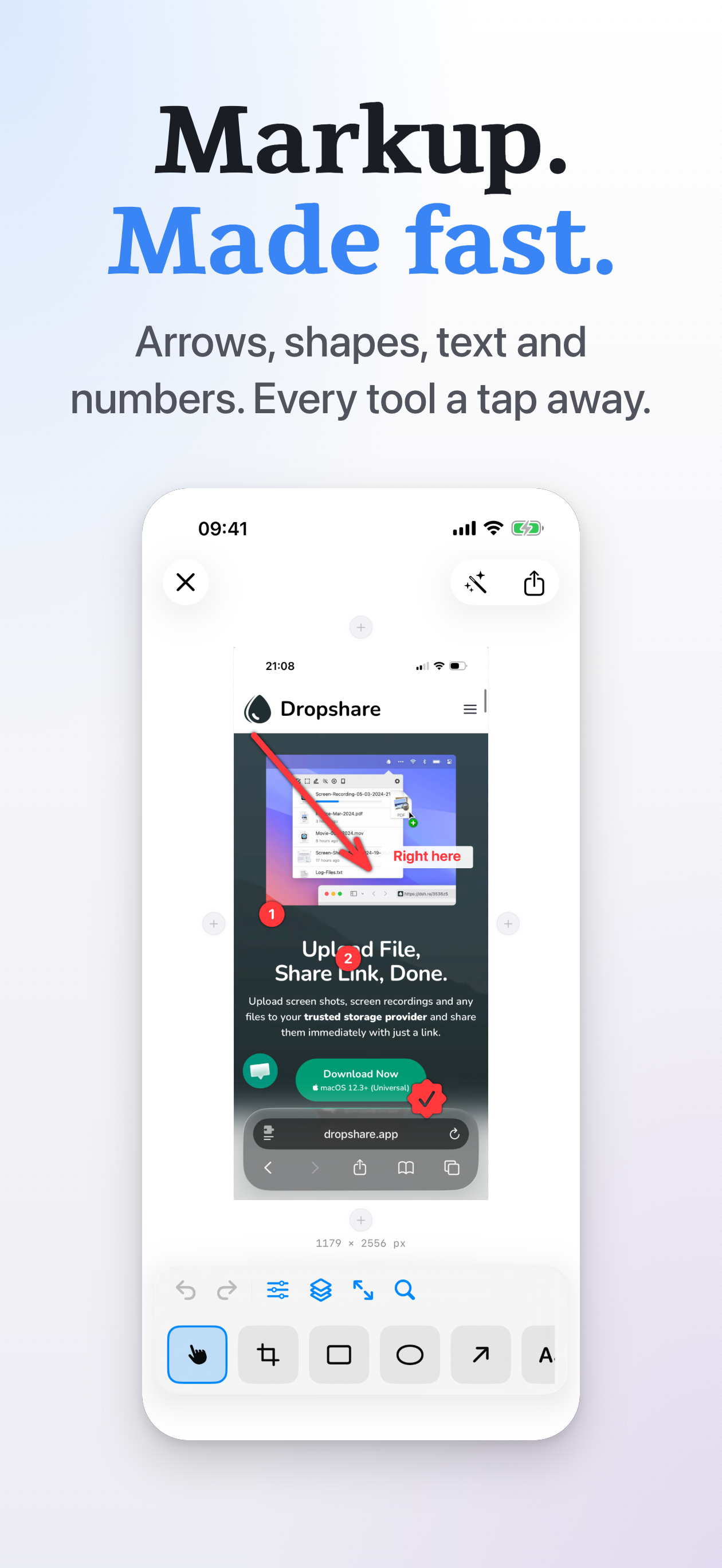
Annotate ships with fourteen tools: Crop, Blur, Pixelate, Text, Number, Stamp, Rect, Oval, Arrow, Pen, Marker, Loupe, Backdrop, and Image. Every annotation lives on its own layer, so you can reorder, restyle, or delete individual pieces without affecting the rest of the canvas. Pen and Marker support Apple Pencil with automatic palm rejection.
The day-to-day things people reach for: blur or pixelation for redacting sensitive content, numbered badges to walk someone through a flow, the full SF Symbols library as stampable icons, gradient or solid backdrops for presentation-ready exports, and the Loupe for calling attention to a small detail in an otherwise busy image.
Annotate exports to PNG, JPEG, or HEIC through the standard iOS share sheet. If you already have Dropshare for iOS installed, you can pick it from the share sheet to upload the result and copy a shareable link in one step.
Thanks to everyone who tested earlier builds and sent feedback. Annotate is available now for iPhone and iPad. You can read more about it on the product page.