Version 6.18

The biggest Dropshare 6 update yet. A new popup, a new first launch, redesigned connection setup, new screen recording controls and many smaller improvements.
I'm looking forward to hearing what you think, just drop me a line.
Timo, founder of Dropshare
New Features
Highlights
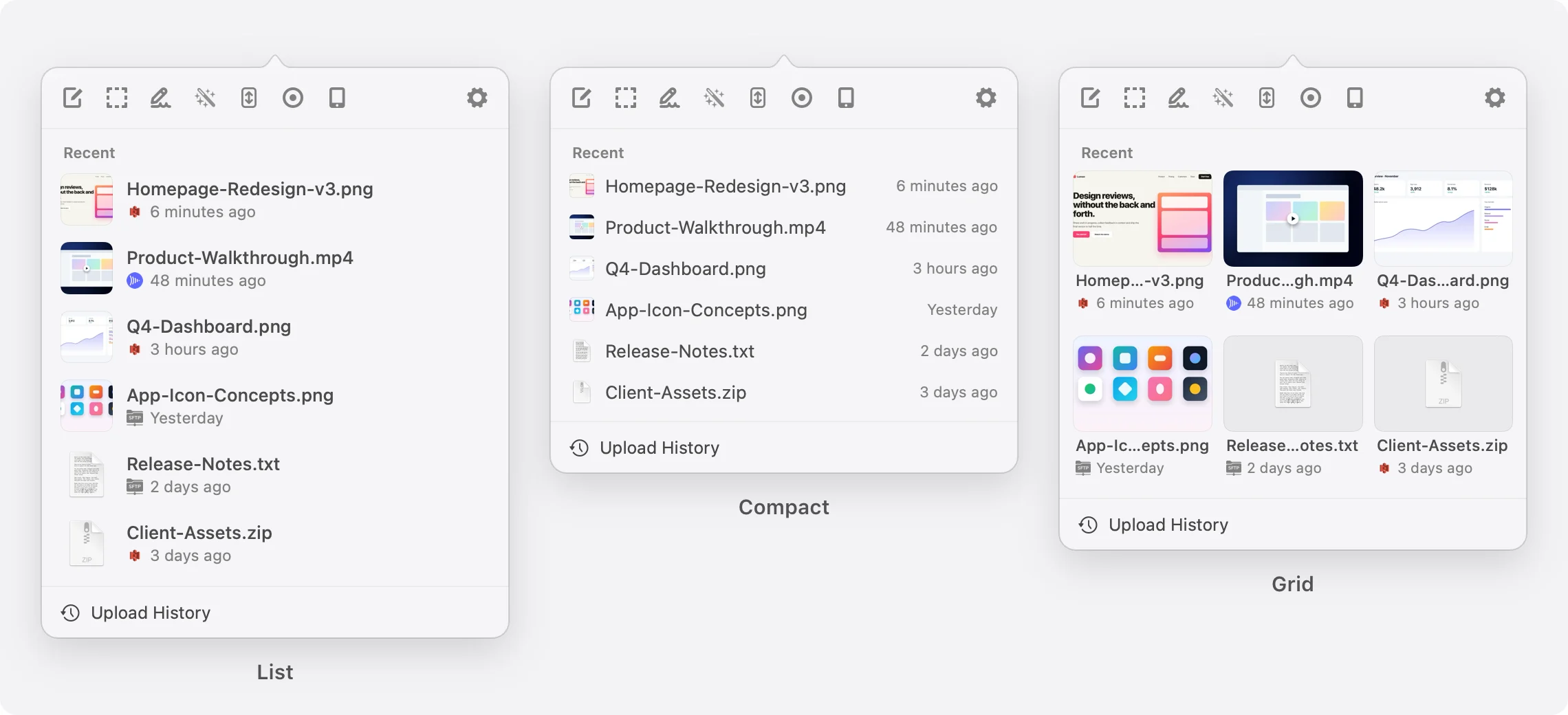
- Redesigned menu bar popup with three display styles: List, Compact and Grid. Choose one, and how many recent uploads to show, in Settings > Popup.
- New first launch experience: a single window for the welcome, the license agreement, a few common preferences and setting up your first connection.
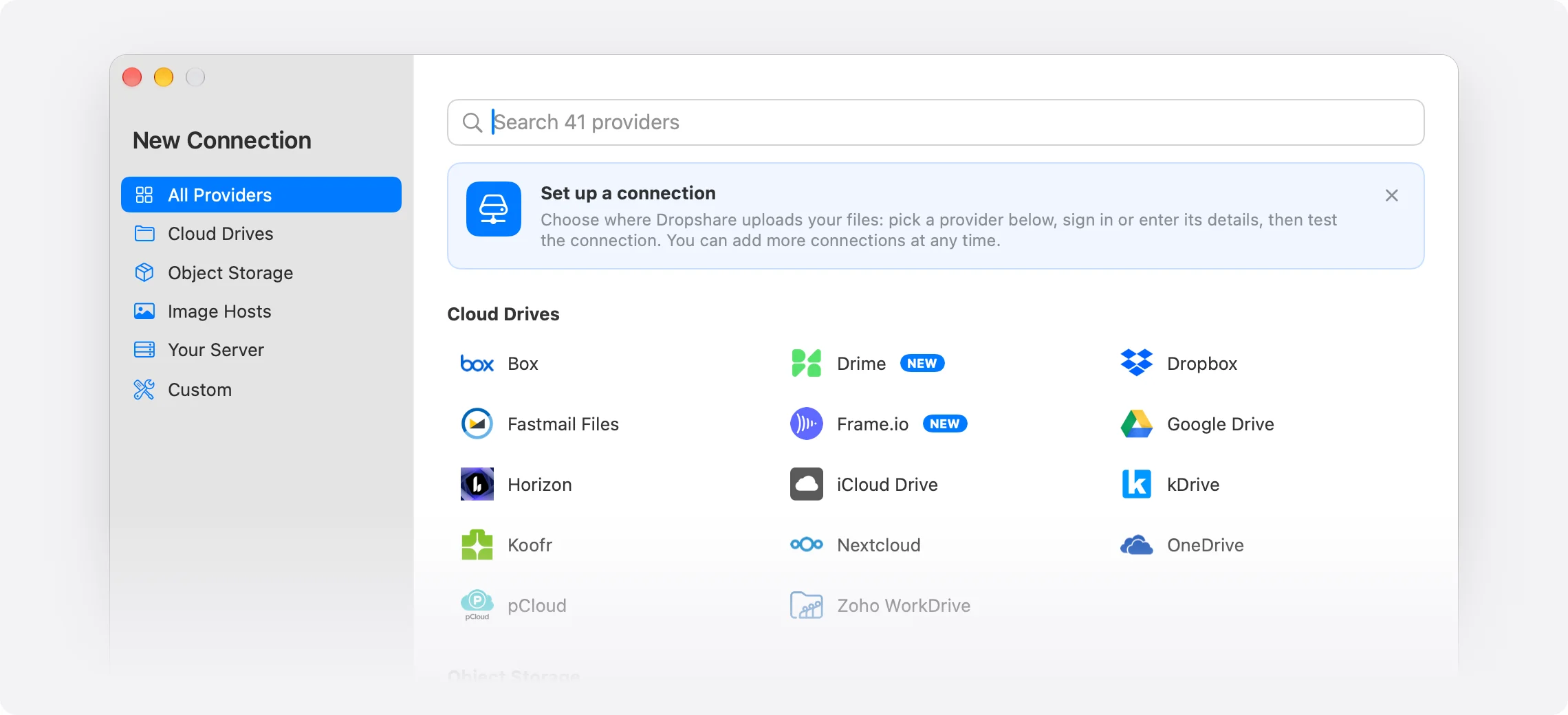
- Find your storage provider faster when adding a connection: search, or browse by category.
- New connection type: Frame.io. Sign in with your Adobe ID, choose an account, workspace, project and folder, and every upload gets its own f.io share link. Learn more
- Redesigned setup screens for all connection types. Importing a connection from iCloud or a file now happens in the setup window.
- Choose the upload folder for OneDrive, Box, pCloud, Koofr and Zoho WorkDrive. Missing folders are created automatically.
- Show in Finder for every uploaded file that is still on this Mac.
- AI-generated screen shot names with Apple Intelligence, right on your Mac: free, without a daily limit, and the screen shot never leaves your Mac. Requires macOS 26 and an Apple silicon Mac with Apple Intelligence turned on.
- Redesigned annotation editor, with a new Image tool: add pictures from Photos, a file or the clipboard, crop them or clip them to a circle.
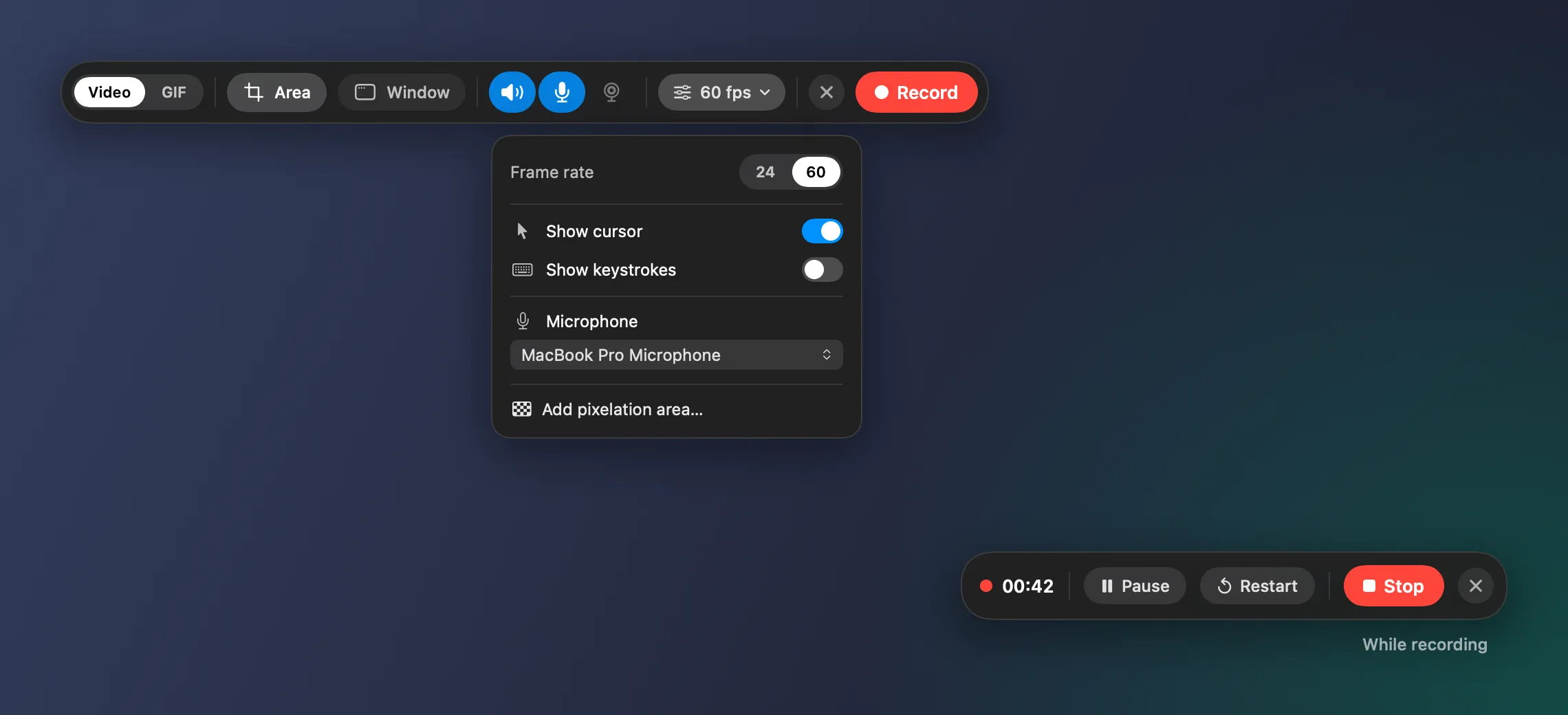
- Redesigned screen recording controls: a compact bar with Video or GIF, area, window and audio, and the other options in a popover. While recording, it shrinks to the timer, Pause, Restart and Stop.
- Pixelation for screen recordings now happens in the recording itself, at full frame rate. Pixelated areas open inside the recorded area and can be moved, resized and set to three strengths.
Improvements
- New regions for Amazon S3, Hetzner, DigitalOcean Spaces, Scaleway and MEGA S4. Linode accepts any endpoint.
- The popup opens without delay and scrolls smoothly, even with a long upload history.
- Upload previews take up much less disk space. Existing large previews are made smaller once in the background.
- Choose how screen shots are named in a new window in Settings > Screen Capture, with a short explanation of each option.
- Flip annotations, and duplicate them with ⌘D.
- The popup stays open after copying a link.
- Converting a recording, AI naming and pretty screen shots show their progress in a small card instead of a window that took focus. Conversions and AI naming can be cancelled.
- When recording a window, the recording bar is placed next to it and follows it.
- Redesigned window for access-restricted URLs, with expiry presets, a password generator and the created link shown in the window.
- The screen recording editor shows the recording's length and size next to Trim, Save and Upload.
- Redesigned Landing Page settings: the design in use at a glance, and a new chooser for built-in, community and your own designs, with previews.
Bug Fixes
- Fixed several Amazon S3 regions and the Filebase endpoint.
- Clicking the menu bar icon while the popover is shown closes it again.
- Uploads duplicated by iCloud sync show up only once in the popup and the history, and deleting an upload removes its copies too.
- AI-generated names with characters like / or : no longer keep a screen shot from being renamed.
- Error messages from OpenAI are now shown, and an error message can no longer crash Dropshare.
- Annotations on non-Retina screen shots are no longer too thick.
- Various fixes in the connection setup.
- Sync no longer keeps the CPU busy by running several merges at once.